
What should a sub-account user do if they are locked out of their account?
If a sub-account user is unable to log in, they must contact the main account holder and request a password reset.
Steps for the main account holder:
- Log in to the main account.
- Go to the Sub-account page in the dashboard.
- Click the three dots (More options) next to the affected sub-account.
-
Select Reset Password.
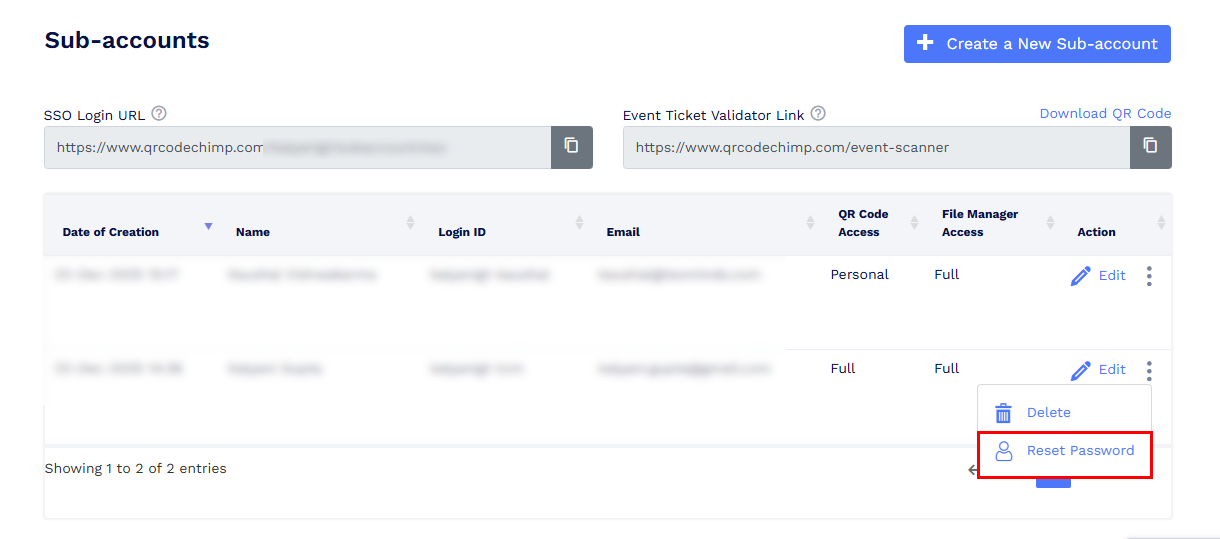
From the Reset Password window, the main account holder can choose one of the following options:
- Enter a new password manually, set it by clicking Reset Password, and share it with the sub-account user, or
-
Click the Email Reset Password Link to send a password reset link to the sub-account user’s registered email address.
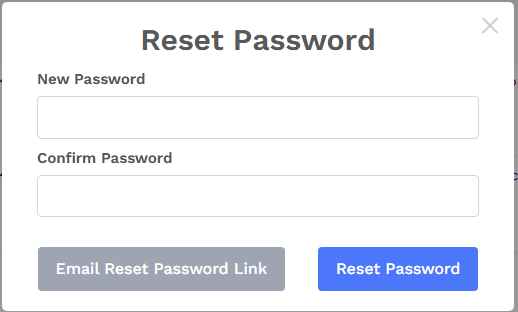
Once the password is reset, the sub-account user can log in using the updated credentials.