
How can I edit the access type for a sub-account?
You can edit the access type for a sub-account by following the steps below:
- Go to your Dashboard.
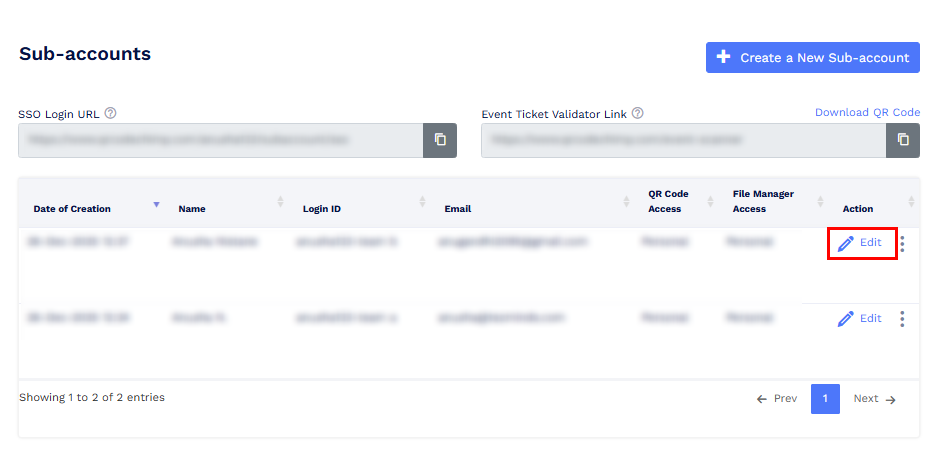
- In the Team Settings menu, click on Sub-accounts.
-
Locate the sub-account for which you want to change the access and click on Edit.
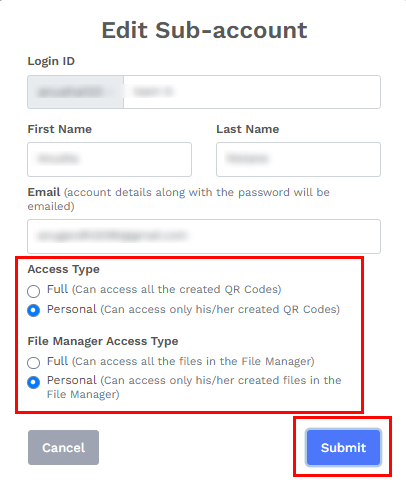
- A pop-up window titled Edit Sub-Account will appear.
-
Update the access type as required and click on Submit.
Once these steps are completed, the access type for the selected sub-account will be updated successfully.