
How can I add, remove, or rearrange components in my bulk-created Digital Business Cards?
You can manage components for your bulk-created Digital Business Cards by editing the bulk and updating the Excel file. Here’s how:
-
Go to your Dashboard and open Bulk QR Codes.
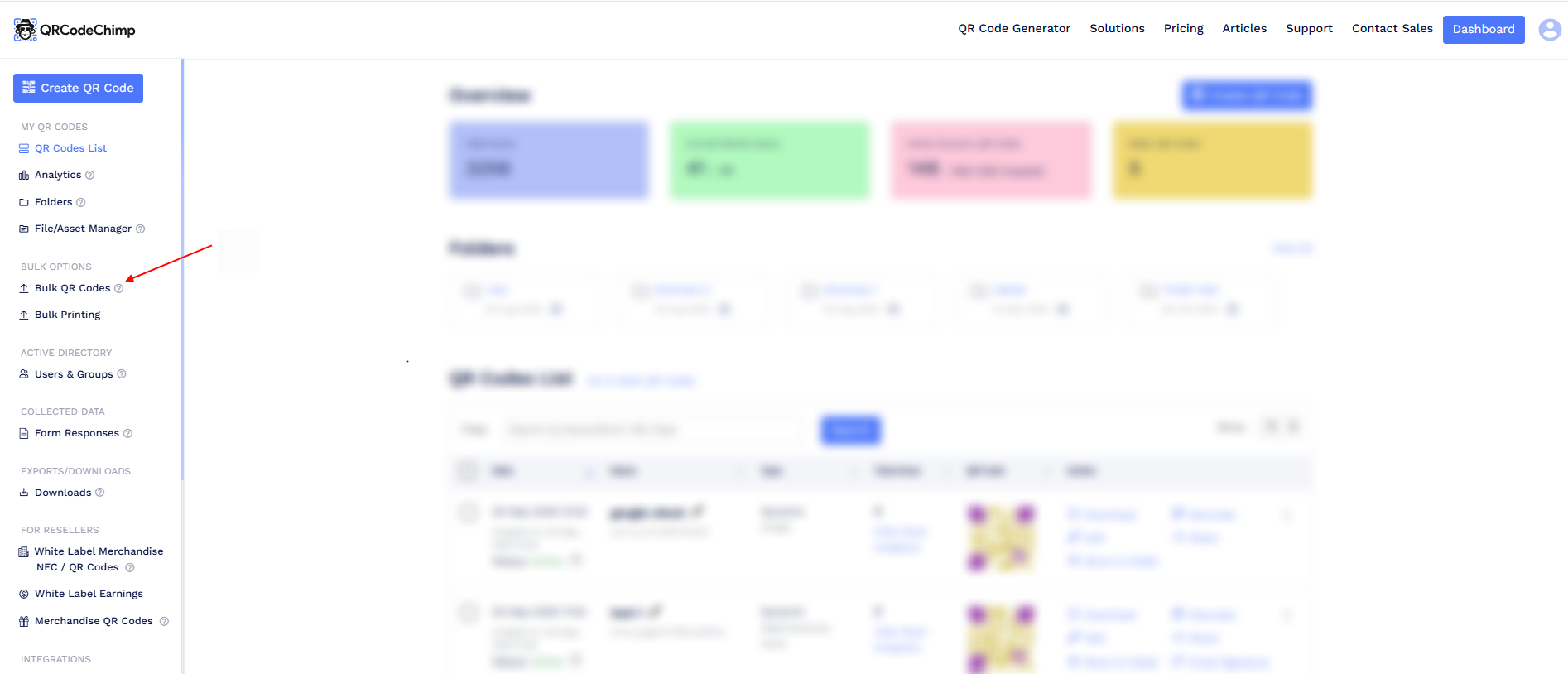
-
Find your Digital Business Card bulk and click Edit.
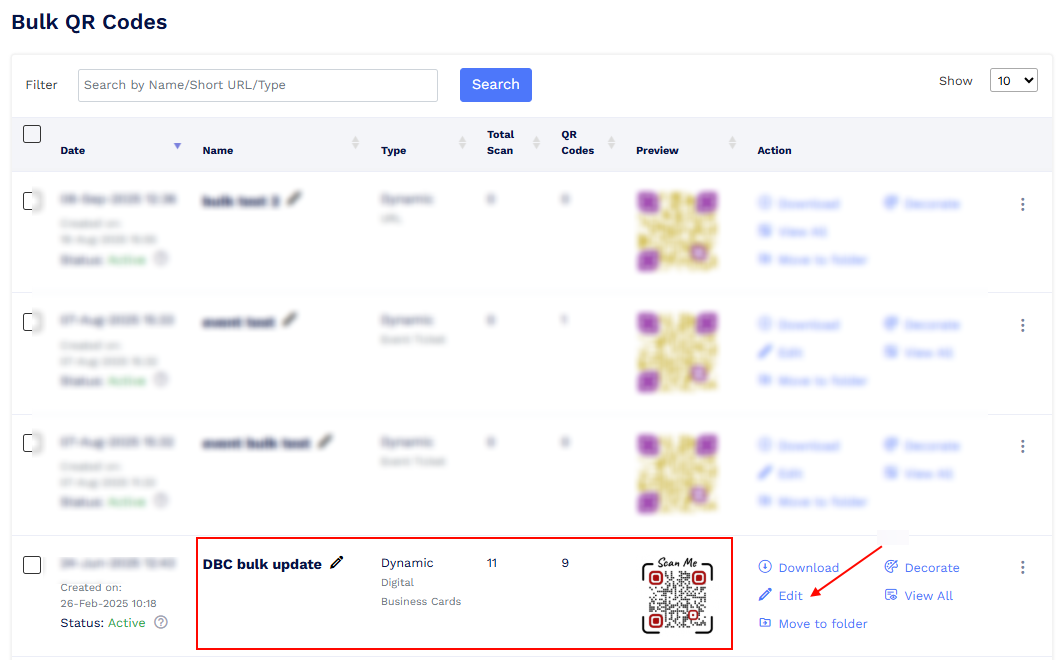
-
Open the Content tab and manage your components:
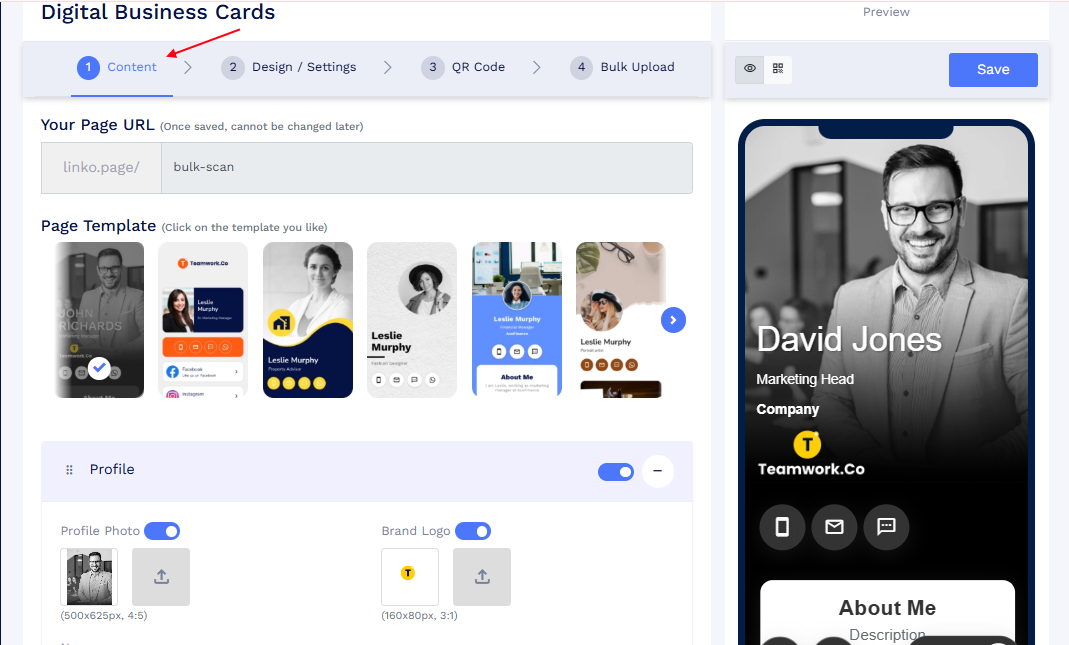
-
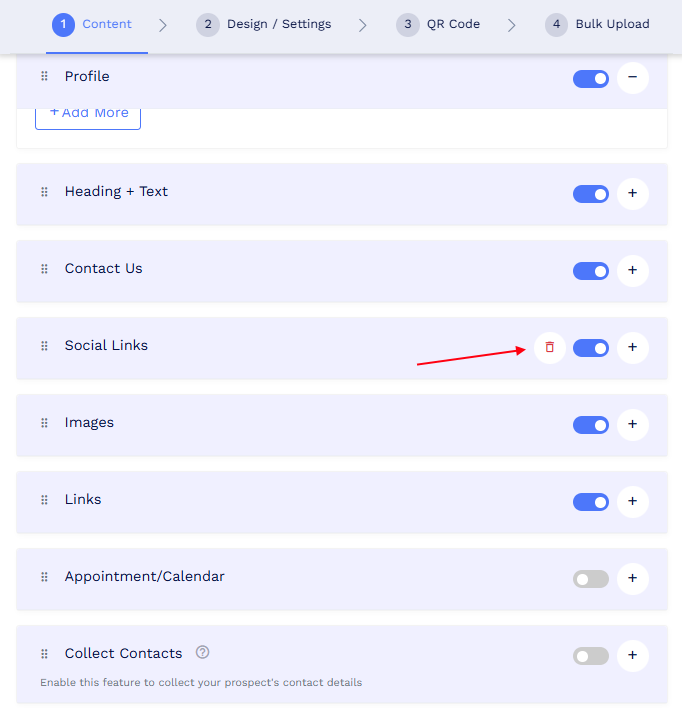
Add a component → Enable/add and configure the new component you want to include.
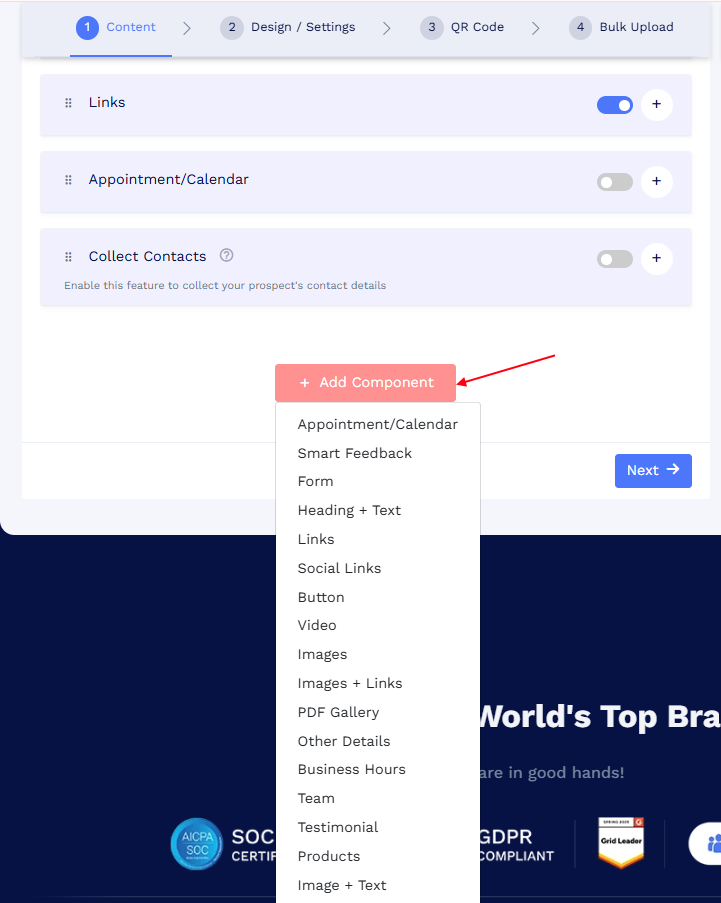
-
Remove a component → Disable the component you no longer want.
-
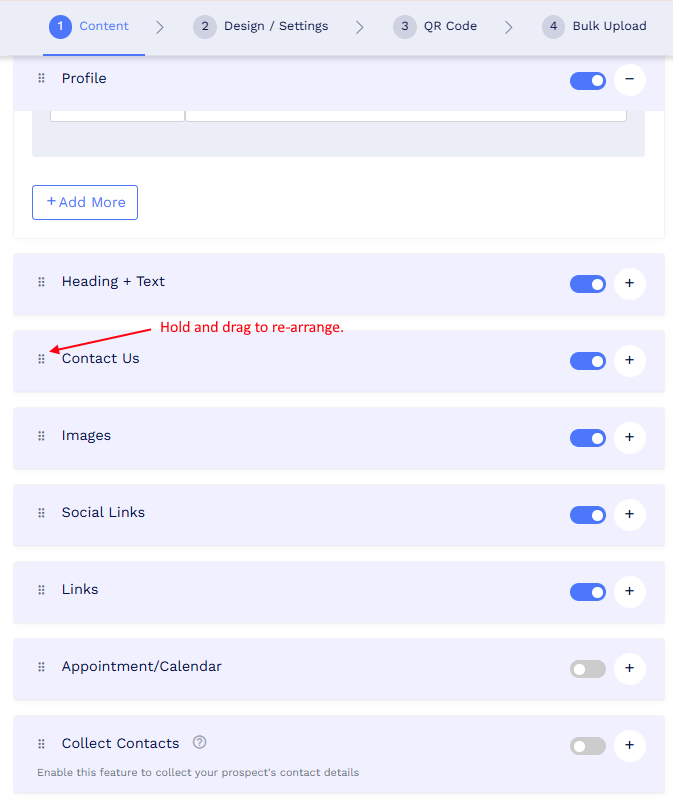
Rearrange components → Drag and drop to change their sequence.
-
- Save your bulk.
-
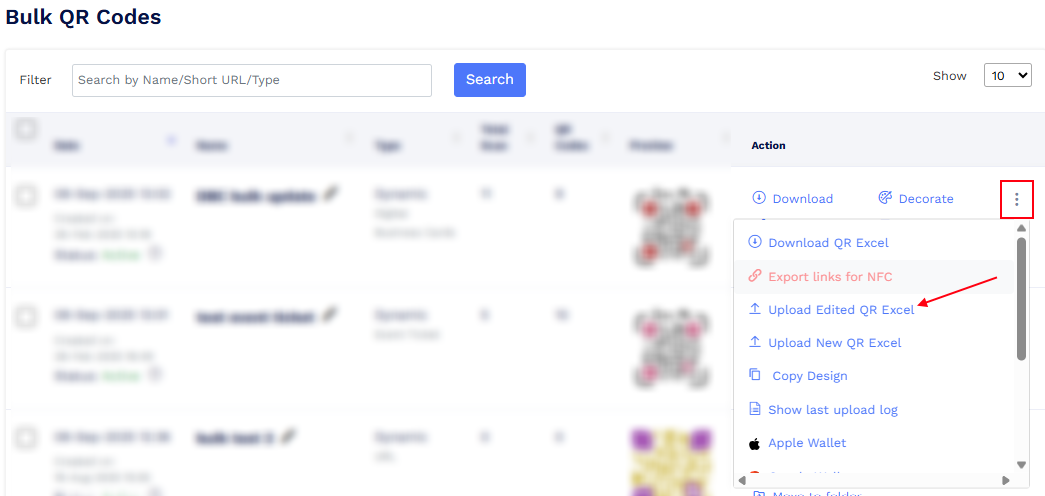
Return to the Bulk section, click the More options (three dots) menu, and select Upload Edited Excel.
-
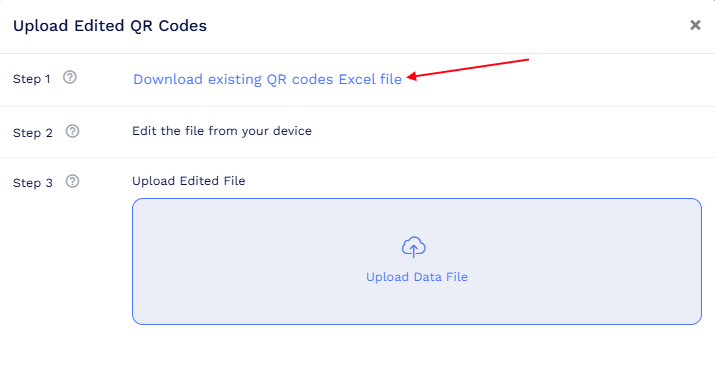
Click Download Existing QR Codes Excel to get the updated bulk file.
- Review and edit the file if needed, then save it.
- Re-upload the Excel file using Upload Edited Excel.
Once the process is complete, your Digital Business Cards will reflect the updated components — whether added, removed, or rearranged.