
Is it possible to turn on precise location tracking for Digital Business Cards I’ve already created in bulk?
Yes, you can enable precise location tracking for your bulk-created Digital Business Cards at any time. Here’s how:
-
Go to your Dashboard and open Bulk QR Codes.
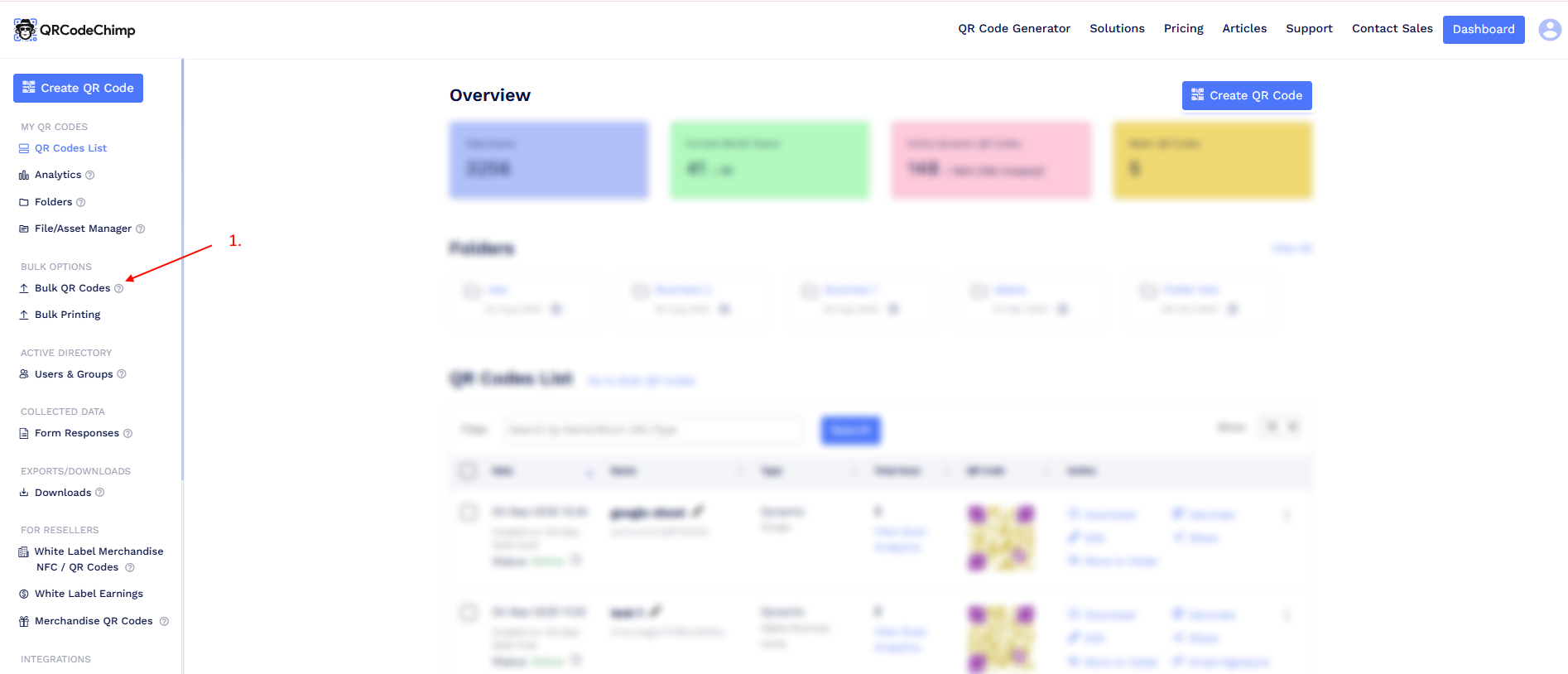
-
Find your Digital Business Card bulk and click Edit.
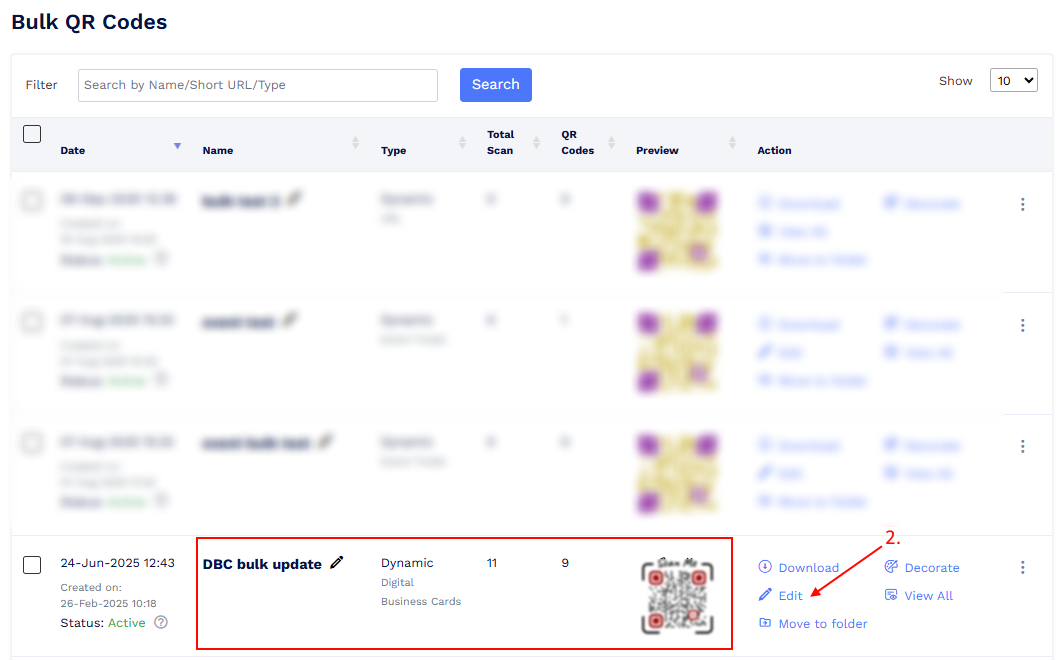
-
Open the Design/Settings tab.
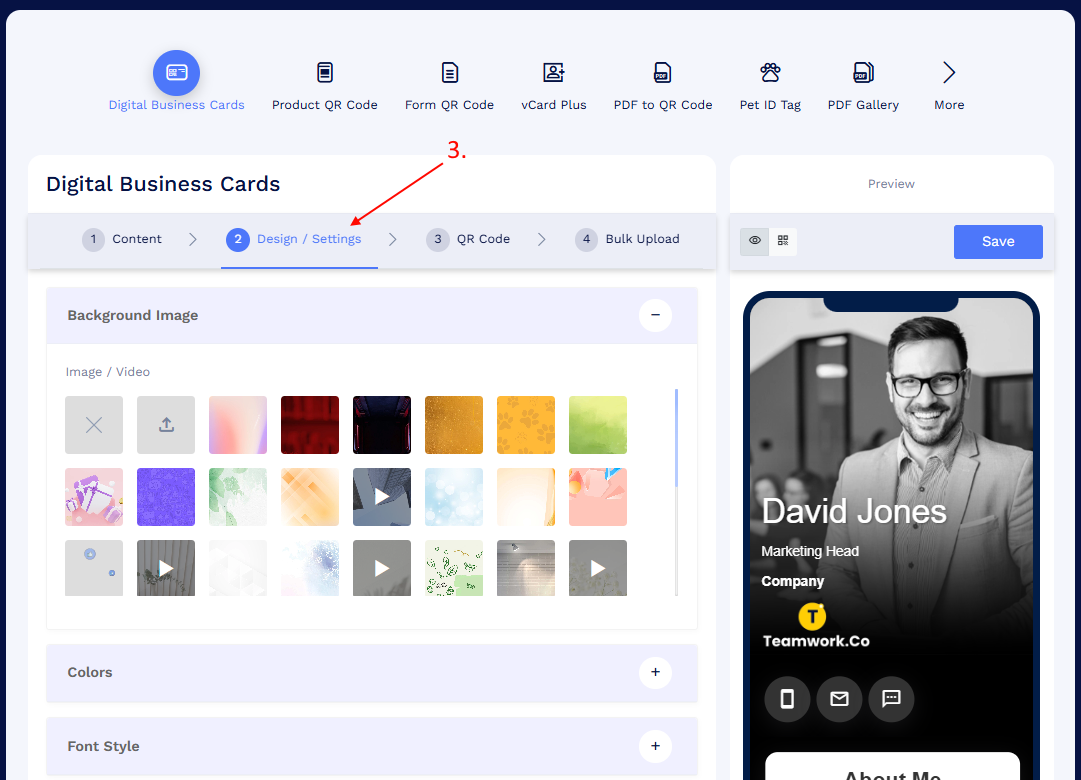
-
In the Page Settings component, turn on Track Precise Location.
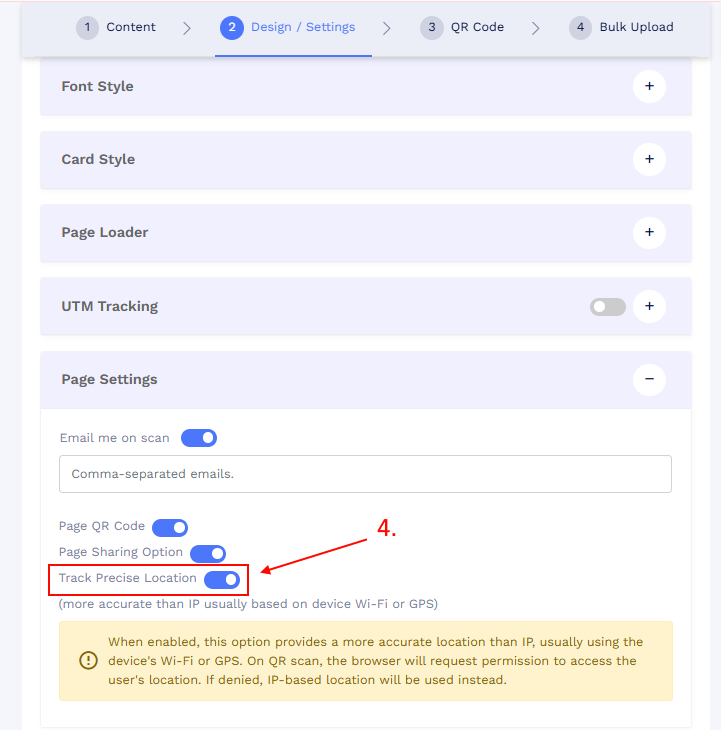
- Save your bulk.
-
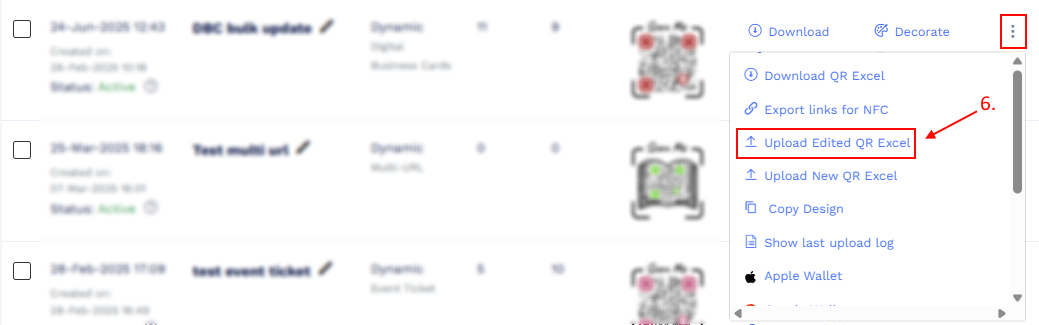
Return to your Digital Business Card bulk, click the More options (three dots) menu, and select Upload Edited Excel.
-
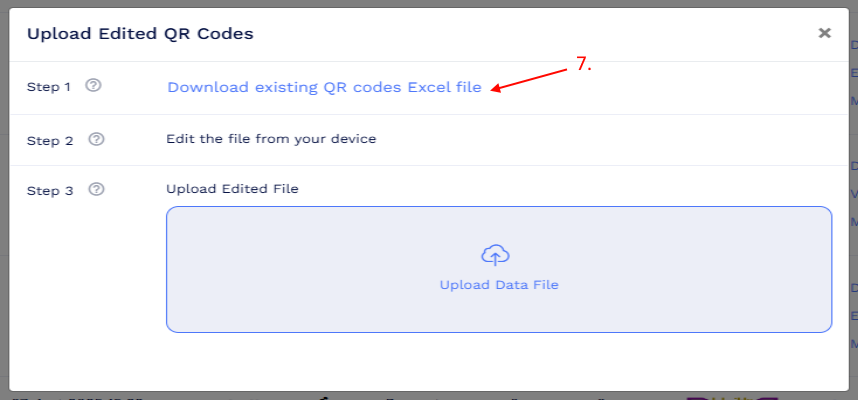
Click Download Existing QR Codes Excel to download your bulk file.
- Open the Excel file. You’ll notice a new column called Track Precise Location.
- By default, all records will have the value Yes.
-
If you want to disable location tracking for specific records, change the value to No.

- Save your Excel file, then click Upload Edited Excel to re-upload it.
Once the process is complete, precise location tracking will be enabled for all the cards in that bulk (or only the ones set to “Yes” in your Excel).