
How can I redirect users to different links based on their browser?
You can use the Browser condition in Smart QR Code to open different links depending on the browser used to access the QR code.
For example, you can direct Chrome users to a Chrome extension listing and Edge users to the corresponding Edge add-on listing.
Set up browser-based destinations
- Open the Smart QR Code generator to create new QR code, or edit an existing Smart QR Code from your dashboard.
- Under the relevant scan destination, select Destination and enter the link.
-
Click + Add Smart Rule, or Edit Smart Rule if a rule already exists.
Select Browser under Condition.
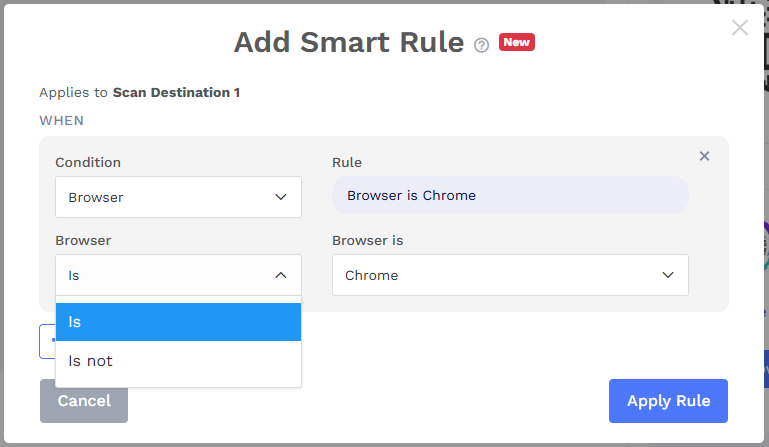
Choose the matching option:
- Is: The destination qualifies when the user’s browser matches the selected browser.
- Is not: The destination qualifies when the user’s browser differs from the selected browser.
- Select the browser and click Apply Rule.
- Click + Add More to configure other destinations and their browser rules, then save your Smart QR Code.
You can configure a fallback destination for scans that do not match any destination’s rules.
Note: The rule checks the browser used to open the Smart QR Code link.