
How do I add an allowed location to my Form QR Code?
To add an allowed location to your geofenced Form QR Code:
- Open your Form QR Code and go to Design / Settings.
- Expand Geofencing and click + Add location under Allowed locations.
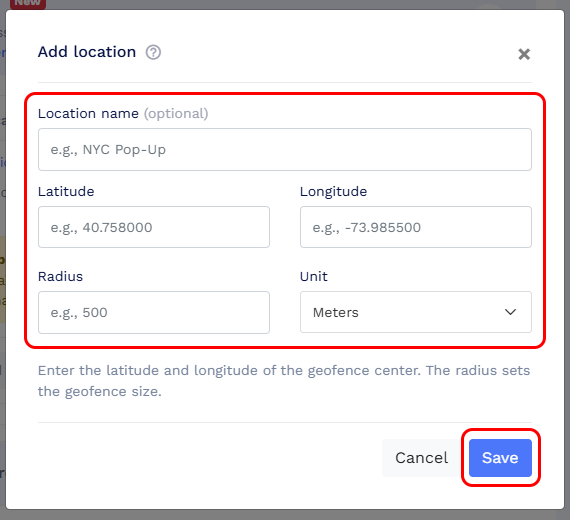
- Enter a Location name (optional) to help you identify the location.
- Set the location by clicking or moving the pin on the map, or manually enter the Latitude and Longitude.
- Enter the Radius and select the distance unit to define the allowed area.
-
Click Save to add the location.
You can add multiple allowed locations by repeating these steps. Users can access the form if their precise location falls within any of the configured areas.