
How can I customize the content of notification emails in QRCodeChimp?
If you are on the Ultima plan or above and have configured SMTP, you can customize the content of supported notification emails.
To customize a notification email:
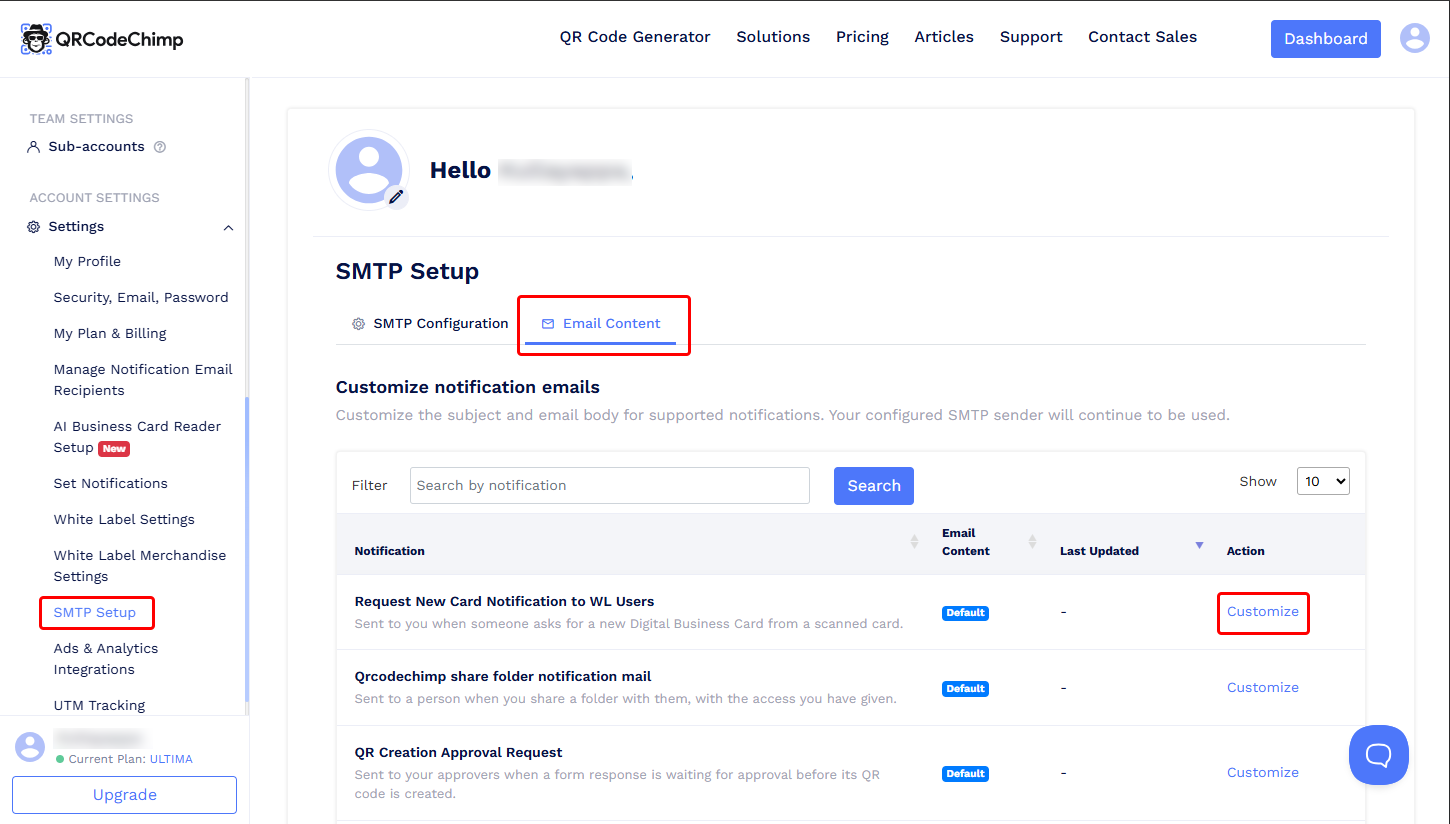
- Go to Dashboard > Settings > SMTP Setup.
- Open the Email Content tab.
- Find the notification email you want to modify.
-
Click Customize next to that notification.
-
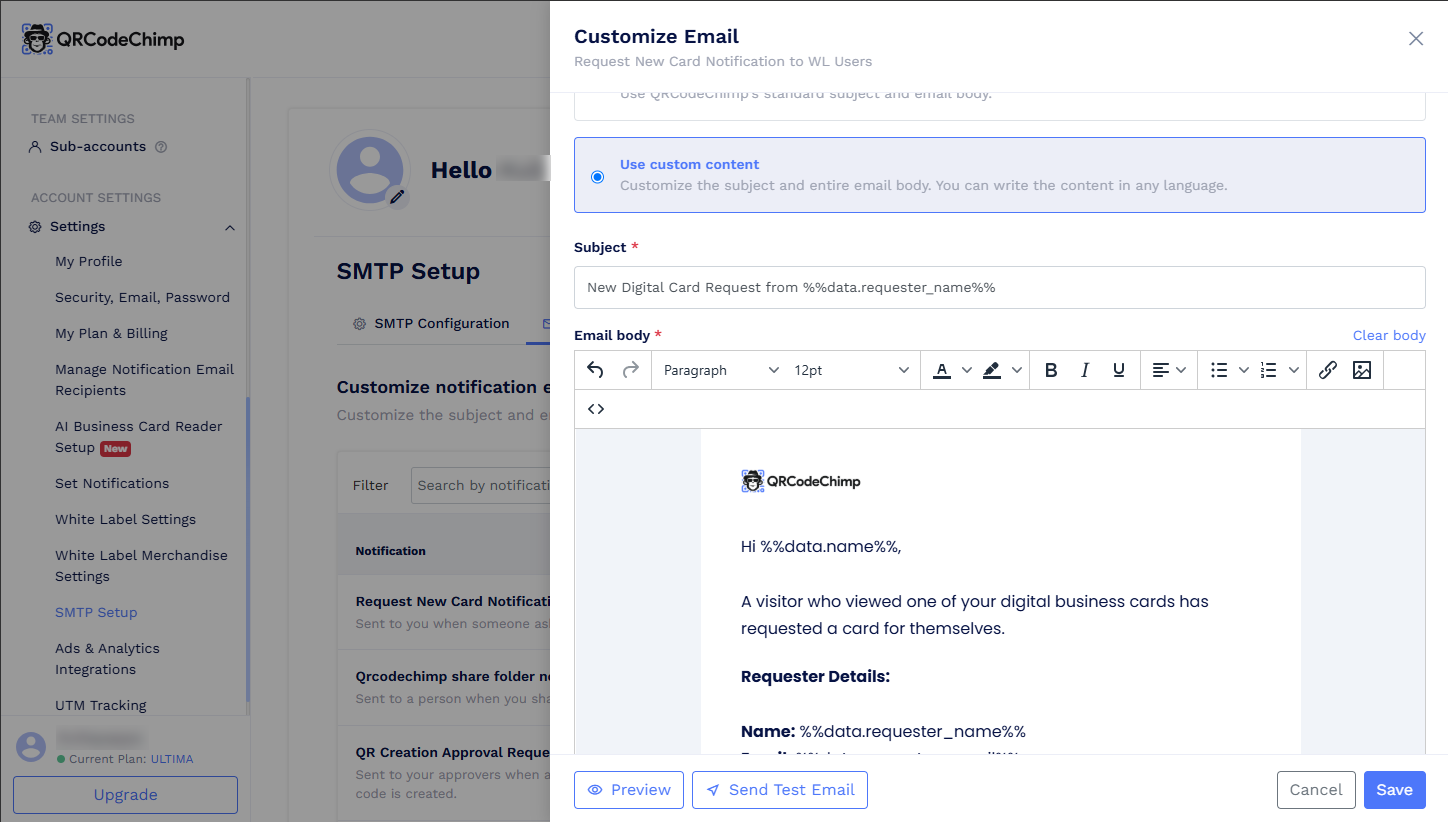
Edit the email subject and email body as needed.
-
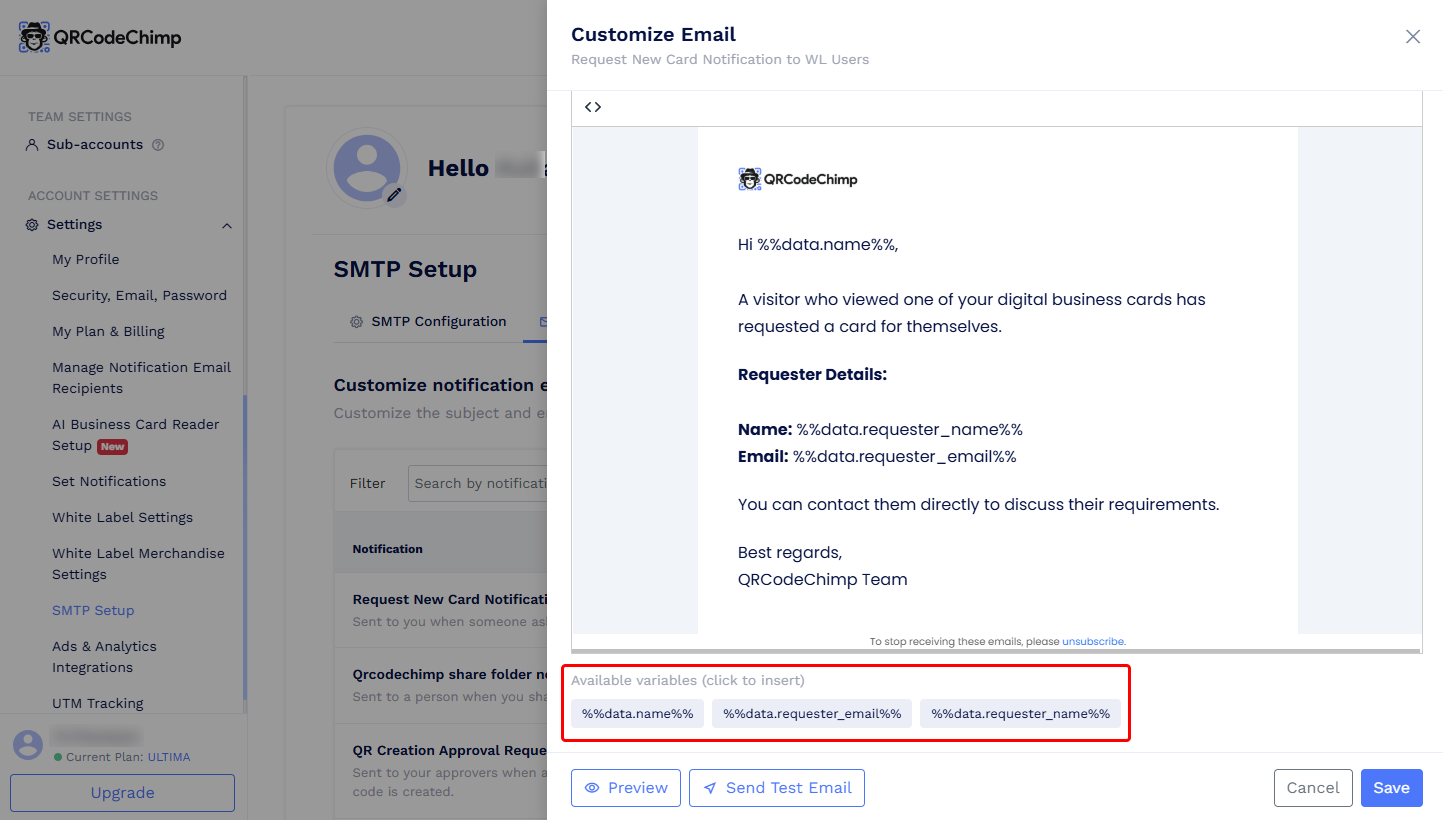
To add dynamic information, place your cursor where you want it to appear and click the required variable. The variable will be inserted at the cursor position.
- Preview the email or send a test email to check the content. You can send a test email even before saving your changes.
- Click Save to apply the customized content.
Each notification email has its own set of available variables.
The From name and From email address will continue to use the details configured in your SMTP setup.