
How can I create one QR code that opens Google Play on Android and the App Store on iPhone?
You can use a Smart QR Code to redirect users to the appropriate app store based on their device.
Setup steps
- Log in to QRCodeChimp and select Smart QR Code.
-
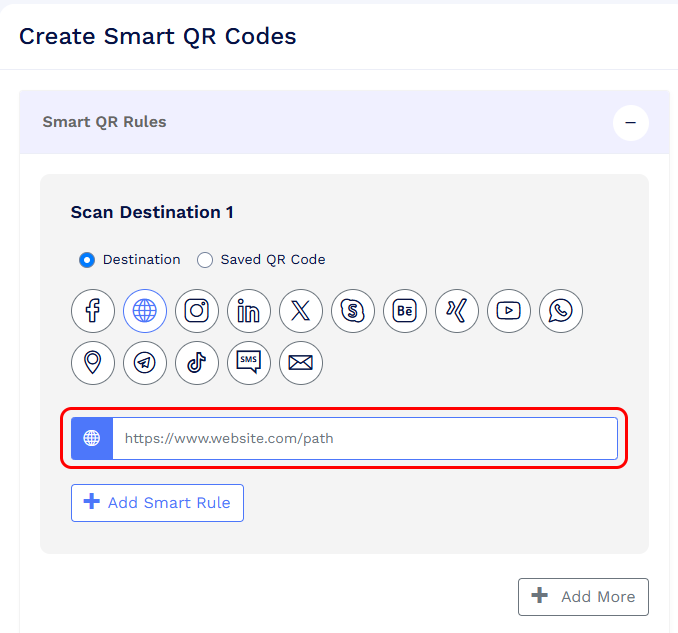
Under Scan Destination 1, enter the app download URL for either Google Play or the Apple App Store.
-
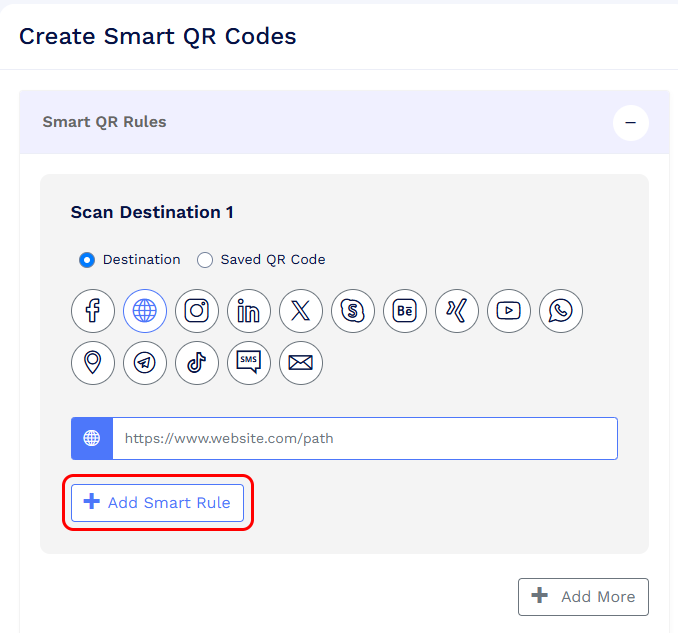
Click + Add Smart Rule.
-
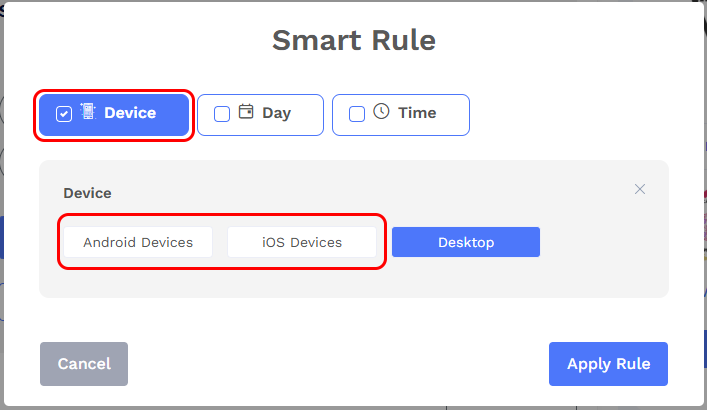
Select Device, choose the corresponding Android devices or iOS devices option, and click Apply Rule.
-
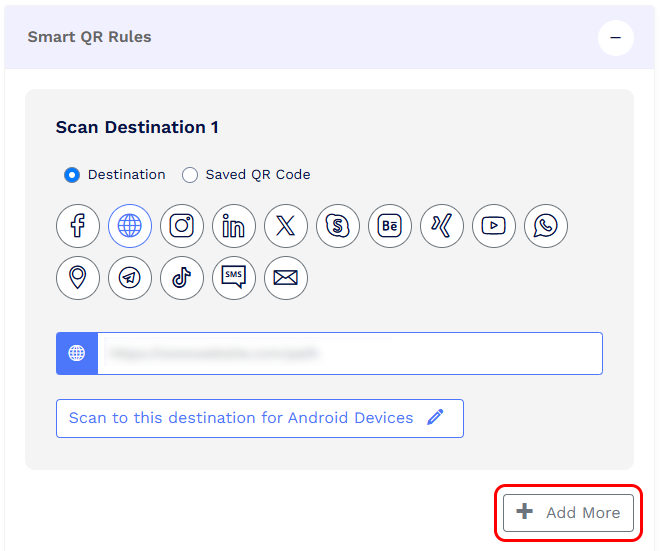
Click Add more to add Scan Destination 2.
- Enter the app download URL for the other platform.
- Click + Add Smart Rule > Device, select the corresponding device option, and click Apply Rule.
- Customize your QR code and click Save QR Code.
When scanned, the Smart QR Code detects the user’s device and redirects them to the corresponding app download URL.
Note: The destination URLs for Android and iOS must be different. We recommend testing the QR code on both device types before printing or sharing it.