
Where can I find contacts captured using the Card Scanner?
You can access your Card Scanner contacts from the following locations:
-
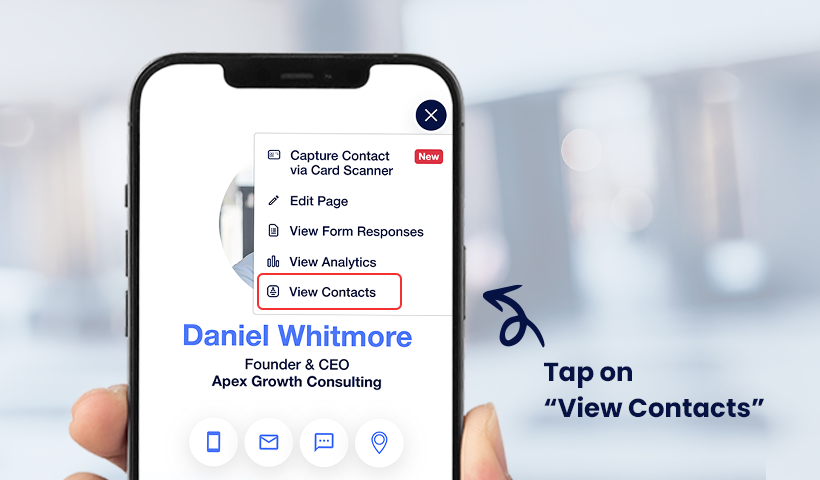
On your Digital Business Card – Open the Hamburger Menu (☰) and go to View Contacts.
-
On your QRCodeChimp dashboard – Navigate to Contacts → My Contacts
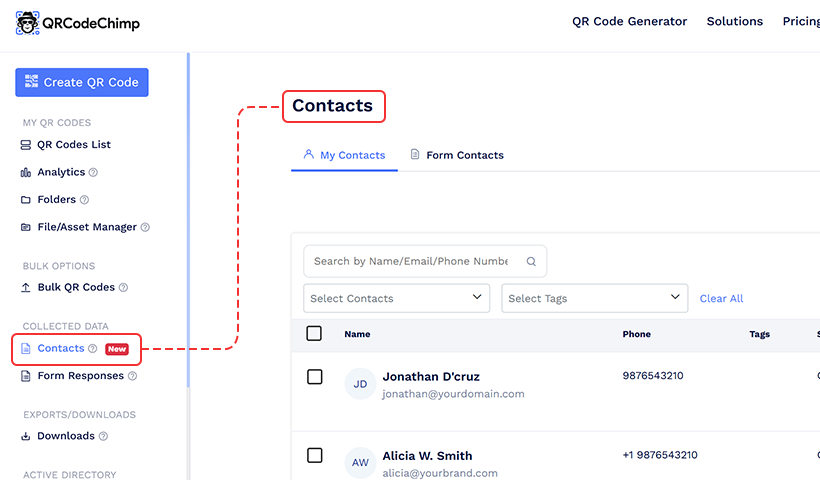
Contacts scanned using the Card Scanner will be labeled as “Card Scanner” under the Source/Type field, making them easy to identify.