
How to add a digital business card to Google Wallet?
To add your digital business card to Google Wallet, follow these steps:
- Scan the digital business card QR code with an Android device.
-
Click on the QR code icon.

-
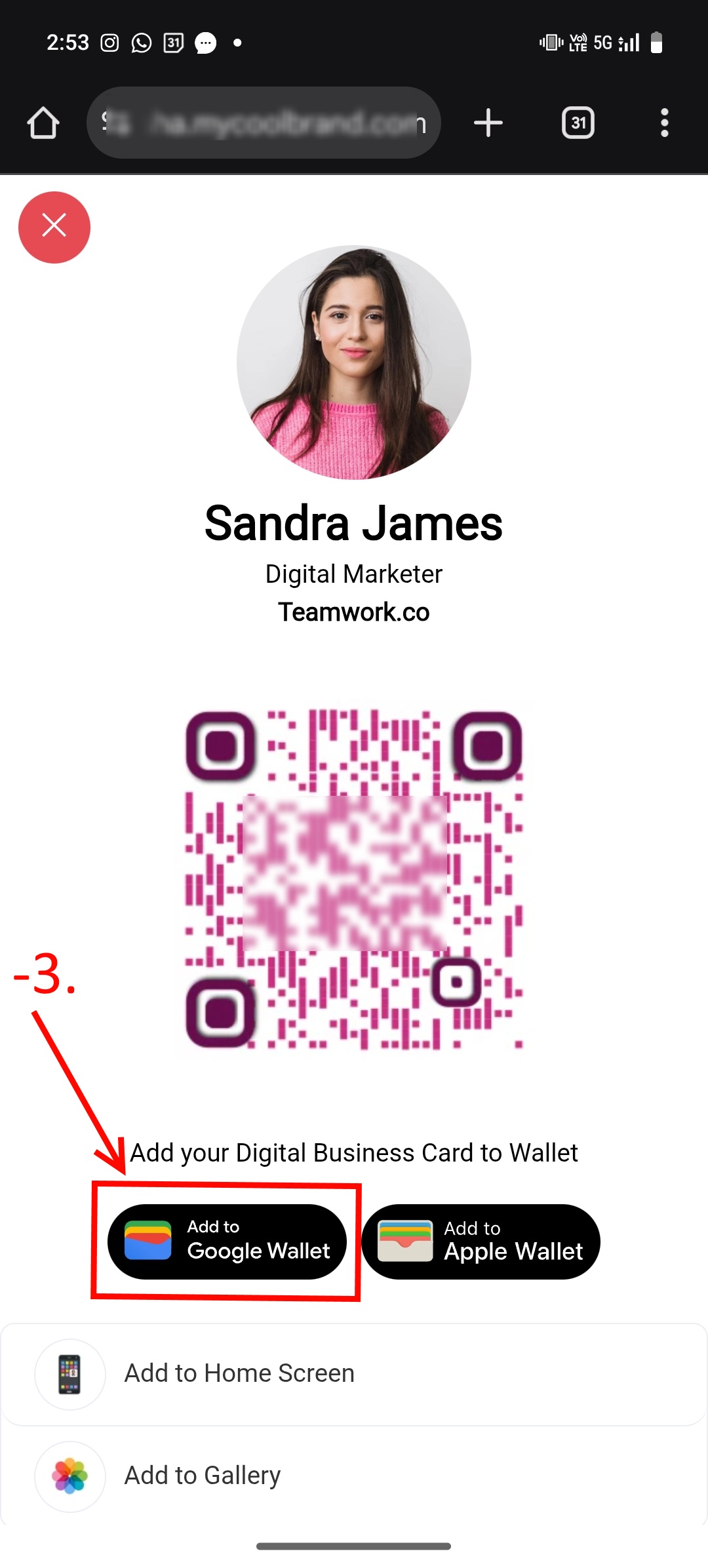
Click on Add to Google Wallet.
-
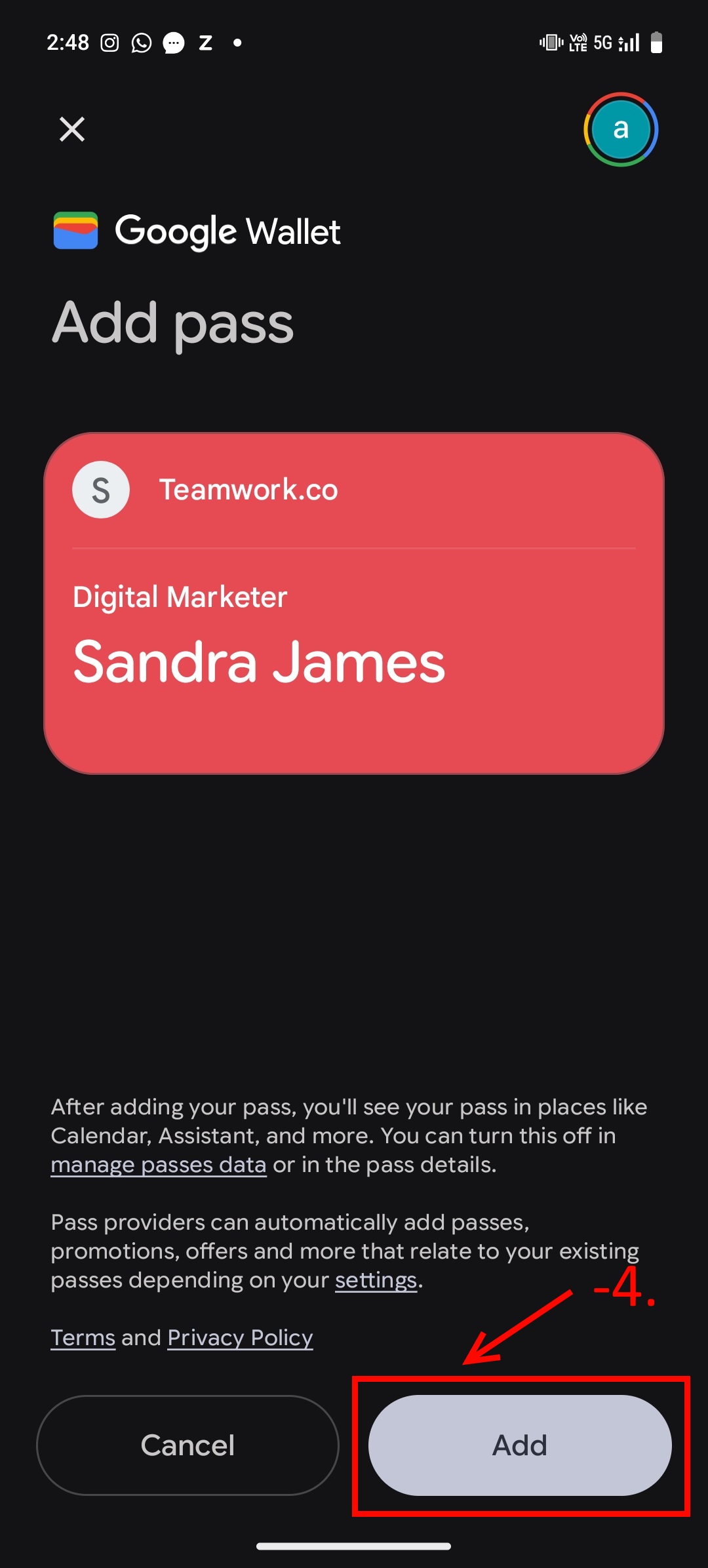
Click on the Add button to add the Google Wallet pass.
- Next, click on View in Wallet.
By following these steps, you can add a digital business card to your Google Wallet.