
How do I set up a form to enable landing page creation without requiring approval?
To enable landing page creation without approval, configure your form as follows.
-
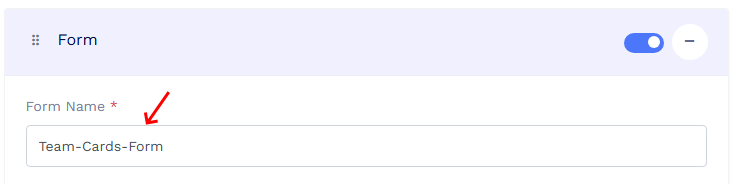
Create or edit your form and add the fields needed to collect the information required to create the landing page.
Tip: Give your form a clear and relevant name in the Form Name field. This makes it easier to identify the form later when viewing form responses.
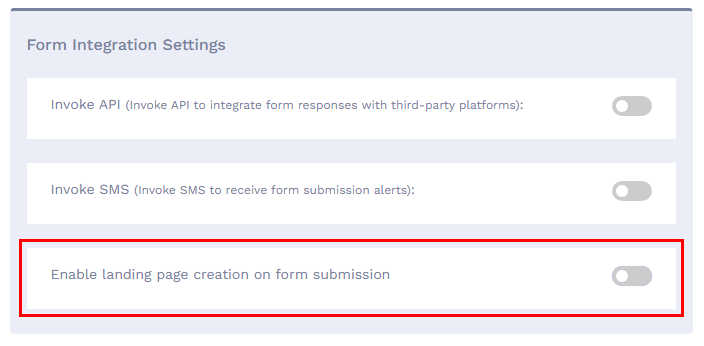
- Open Form Integration Settings for the form.
-
Enable the Enable landing page creation on form submission option.
- Choose the landing page type you want to create.
- Link the form to the required bulk file.
- Map the form fields to the corresponding landing page fields.
-
Select Immediately after form submission as the landing page creation method.
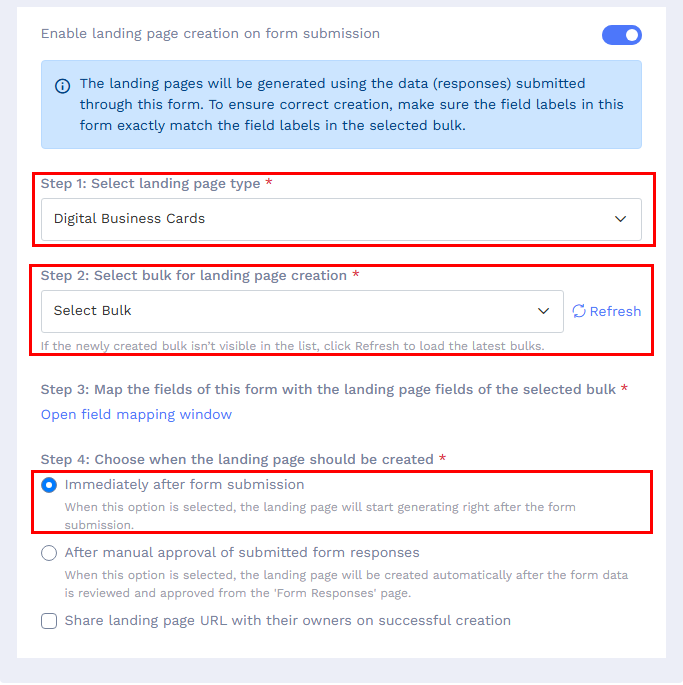
Once configured, the landing page is created automatically as soon as a form response is submitted, without requiring manual approval.
Notes:
- To limit submissions to one per device or browser, enable the Do not show this form multiple times to the same user option in the form settings.
- To receive an email notification when a new landing page is created, enable Email me on Form Submission and add the email address where you want to receive the notification.