
How do I configure IP-based location rules for my geofenced Form QR Code?
You can configure IP-based location rules to control form access when a user's precise location is unavailable.
Follow these steps:
-
Open your Form QR Code and go to Design / Settings → Geofencing.
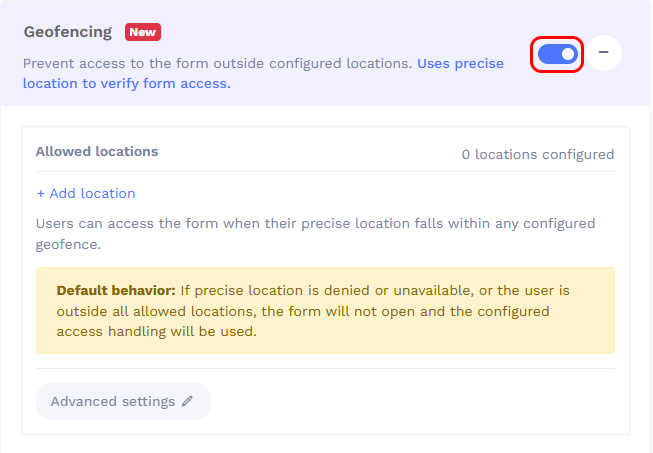
- Under Allowed locations, click + Add location if not already added.
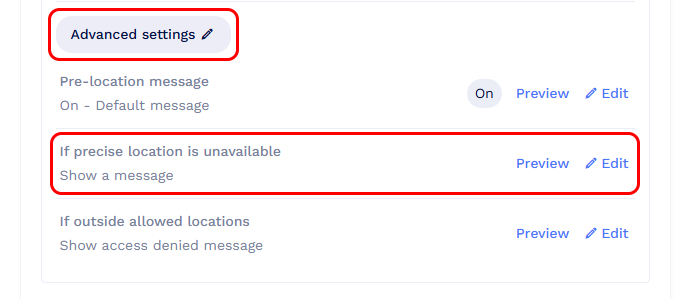
- Expand Advanced settings.
-
Under If precise location is unavailable, click Edit.
- Select Use approximate IP-based location.
- Under Approximate-location rules, select Country, Region, or City, enter the location, and click Add.
- Repeat to add more locations if needed.
- Under If no approximate-location rule matches, choose whether to show an access-denied message or redirect users to a URL.
-
Save your settings.
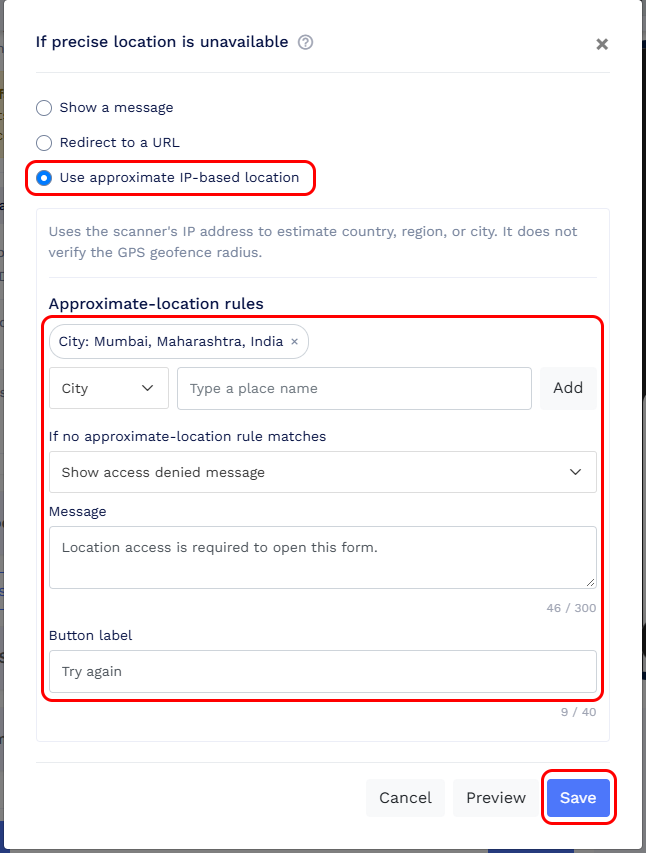
When precise location is unavailable, users can access the form if their estimated IP-based location matches any configured rule. Otherwise, the selected fallback action applies.
Note: IP-based location is approximate and does not verify whether users are within the configured geofence radius.