
What happens if a user denies location permission when accessing a geofenced form?
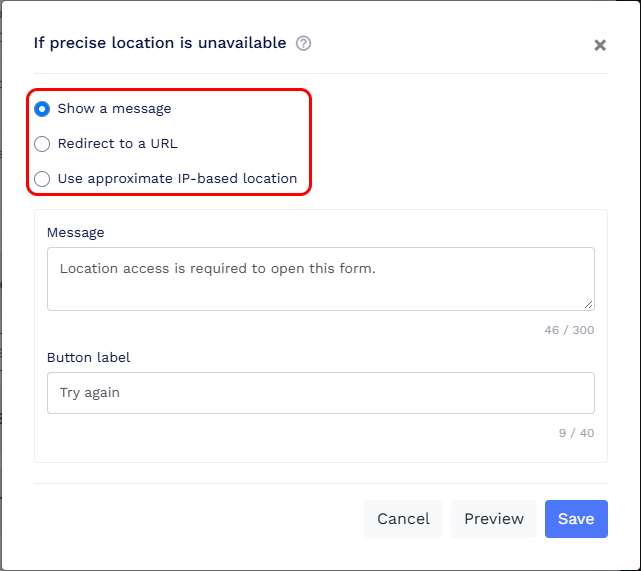
If a user denies precise location permission, QRCodeChimp follows the fallback behavior configured under Geofencing → Advanced settings → If precise location is unavailable.

You can choose to:
- Show a message: Display a custom message instead of opening the form.
- Redirect to a URL: Redirect the user to another webpage.
-
Use approximate IP-based location: Check the user's estimated country, region, or city against your configured rules. The form opens only if a rule matches.
The same fallback behavior applies when a user selects Continue without precise location.