
What is the 'Contact Exchange Form' option in the Contact Us section of the Digital Business Card Generator?
The Contact Exchange Form option lets people share their contact details with you when they save your contact from your digital business card.

When this option is enabled, and a user clicks the “Save Contact” button on your Digital Business Card:
- Your contact details are downloaded to their device as a VCF file
-
A form is shown where they can enter their details (such as name, phone number, and email)
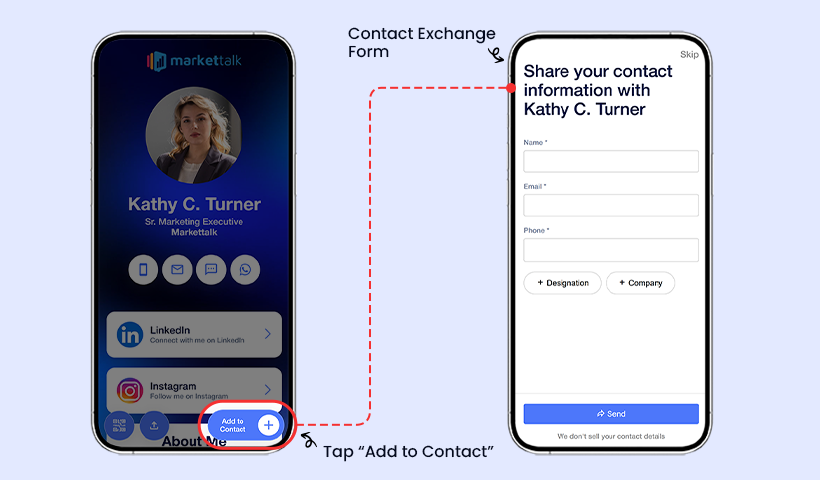
Contact exchange form is shown when users click the Add to Contact button. - Once submitted, their contact information is shared with you
You can view all received contact details in the Contacts section of your dashboard.

This feature makes it easier to connect with people who interact with your digital business card.