
How do I reset the Campaign Dates of my QR code?
You can reset the Campaign Dates by pausing and then activating the QR code again. This removes the previously set campaign schedule and keeps your QR code active.
Follow these steps:
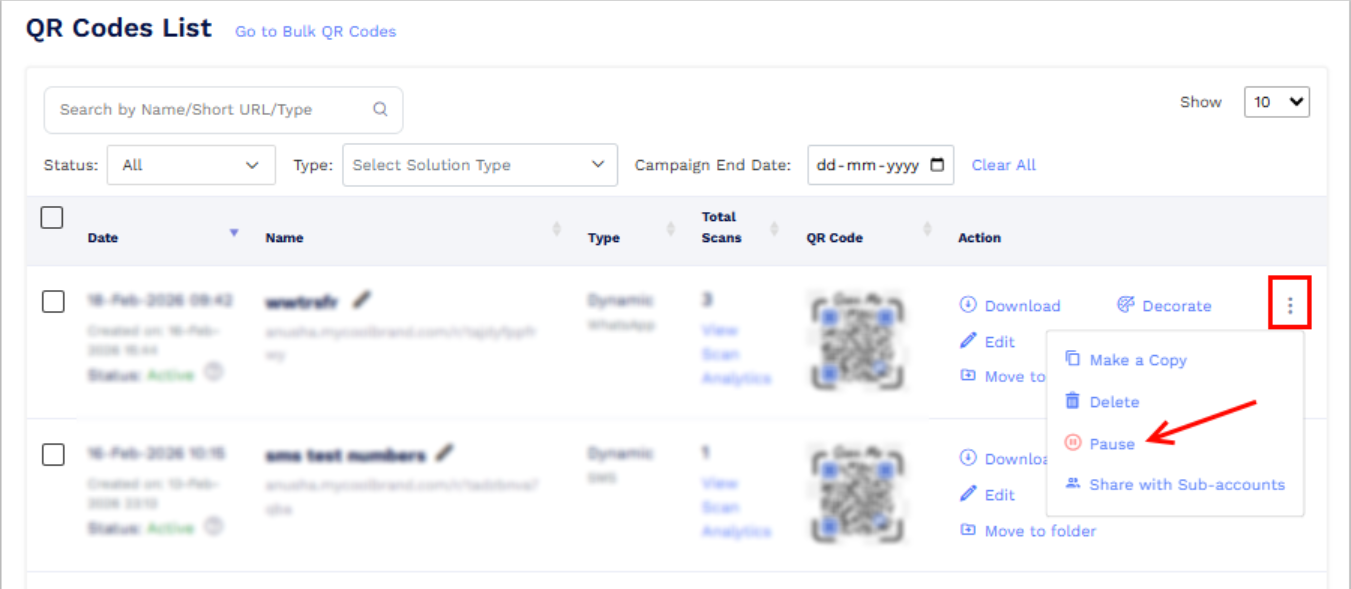
- Go to the Dashboard and find the QR code for which you want to reset the campaign dates.
-
Click the more option (three dots) next to it and select Pause.
-
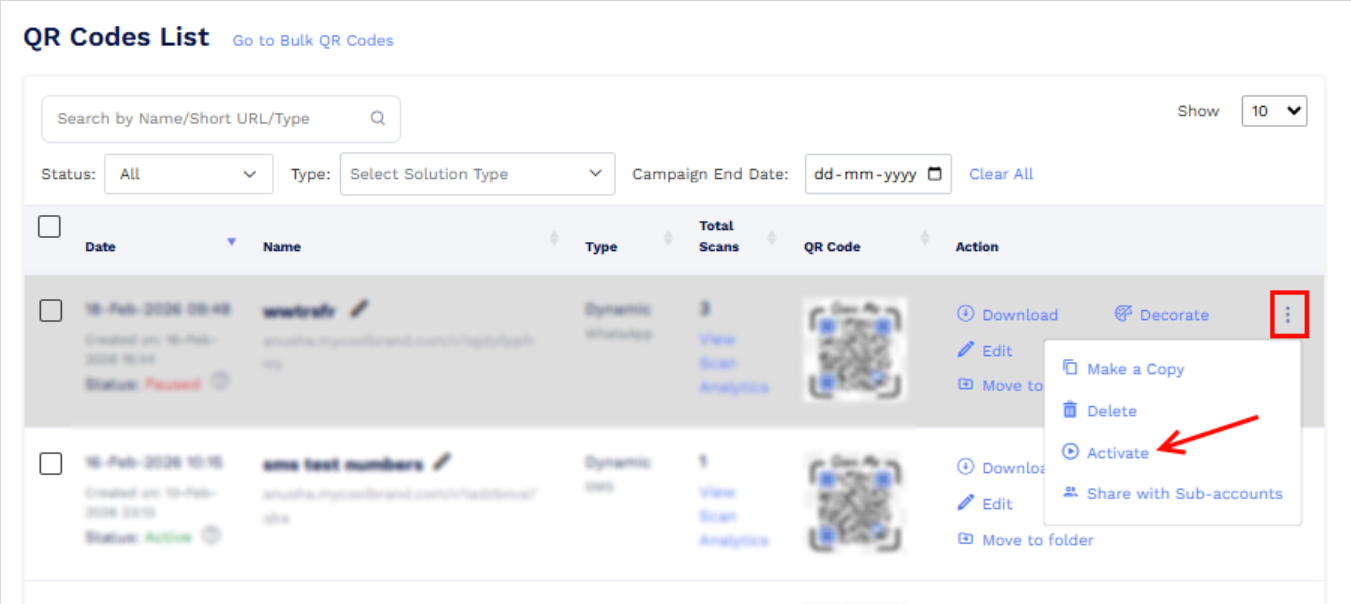
Click the three dots again and select Activate.
-
When the warning message appears, click Continue.
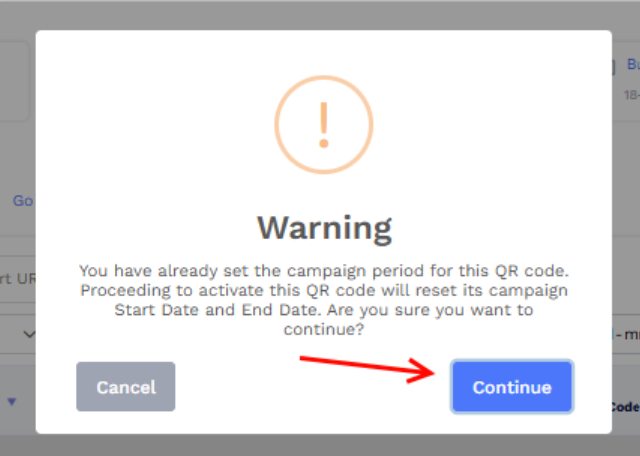
After completing these steps, the Campaign Dates will be cleared and reset.