
What happens when I enable the Page QR Code option under the Page Settings section in the Design/Settings tab?
When you enable the Page QR Code option under the Page Settings section in the Design/Settings tab, a floating button is added to your landing page.

When a visitor taps this button, a dedicated QR code screen opens. The screen displays your branded QR code along with options to:
- Add to Home Screen
- Add to Gallery
-
Add to Google Wallet or Apple Wallet, if supported by the solution
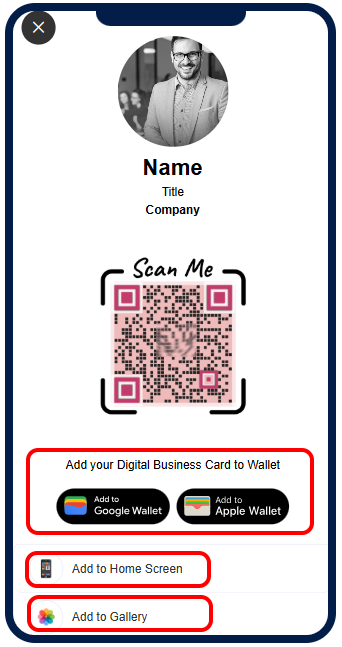
Clicking on button opens page displaying page's QR code.
This feature makes it easy for users to save and access your QR code from their device whenever needed.
If you do not want the page QR code button to appear on your page, you can simply turn this option off from the Page Settings section.