
How do I upgrade my QRCodeChimp plan?
To upgrade your QRCodeChimp plan, log in to your account, then follow the steps below.
-
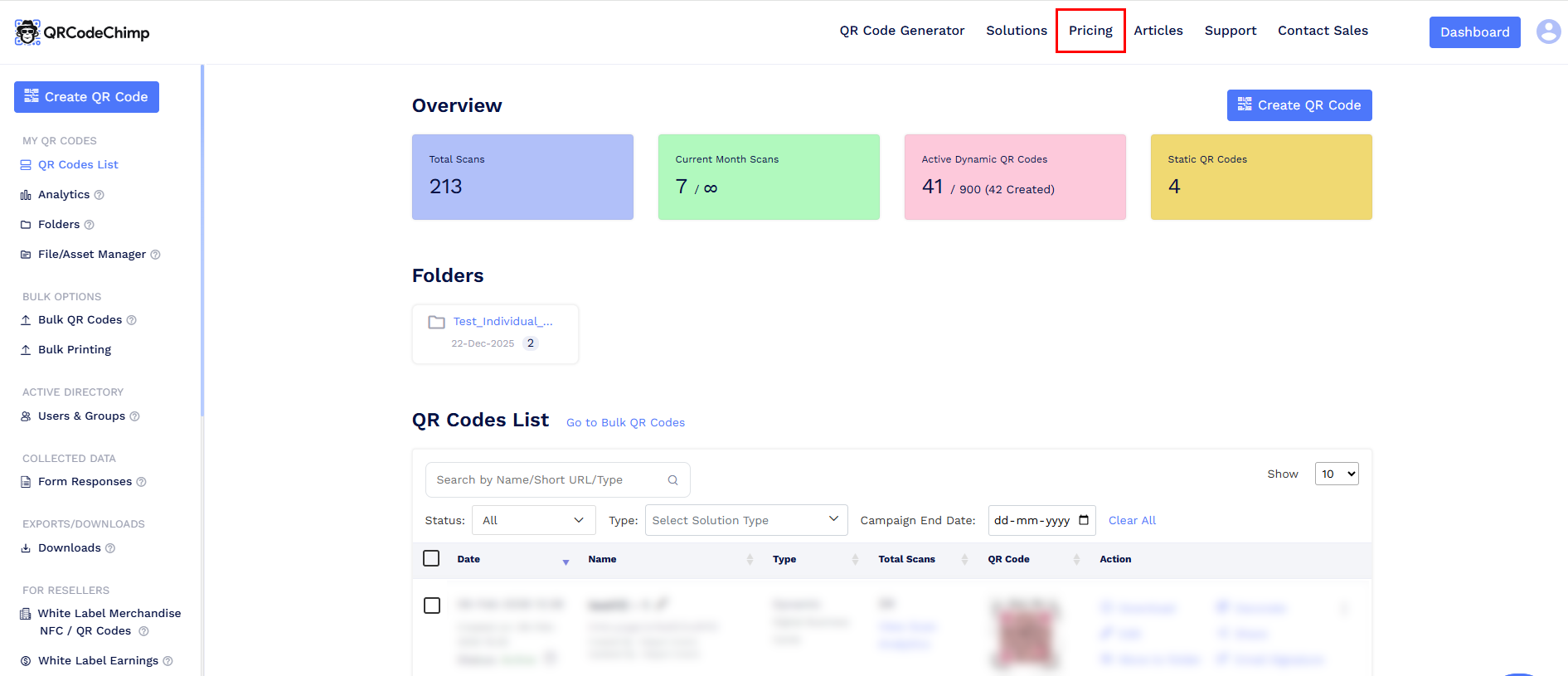
Go to the Pricing page.
-
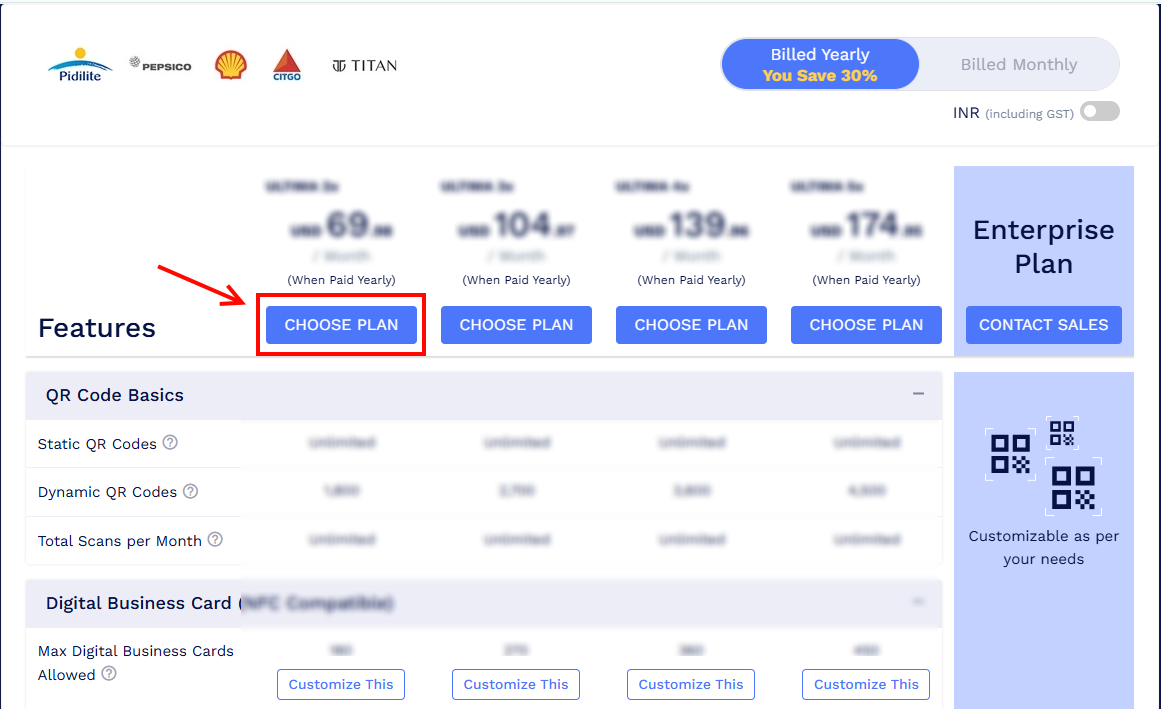
Choose the plan you want to upgrade to and click Choose Plan.
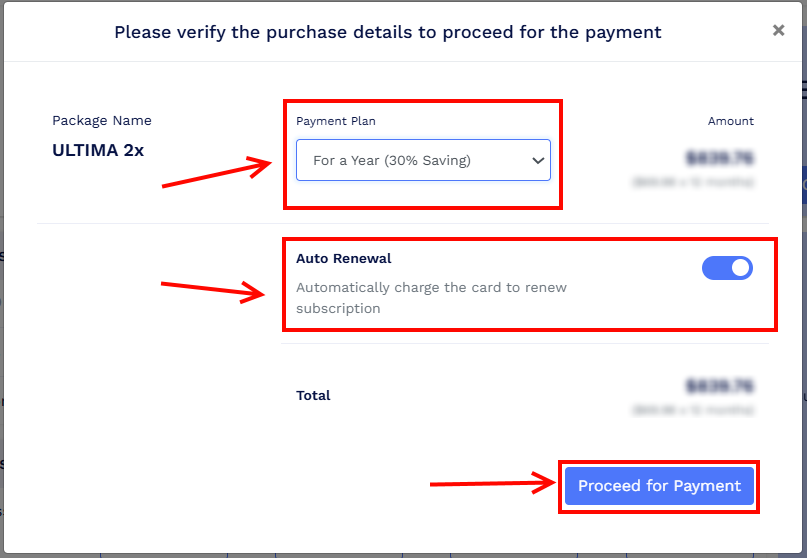
- A pop-up window will appear to confirm your purchase details.
- Select your Payment Plan: For a Year, For a Month.
- Enable Auto Renewal if you want your subscription to renew automatically. This step is optional.
-
Click Proceed for Payment.
-
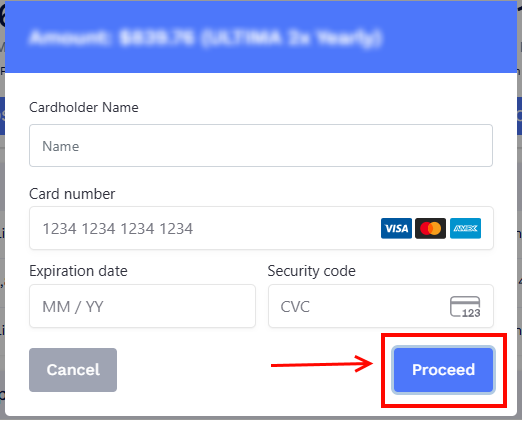
Enter your card details and click Proceed.
-
Review the billing address and click Submit to complete the payment.
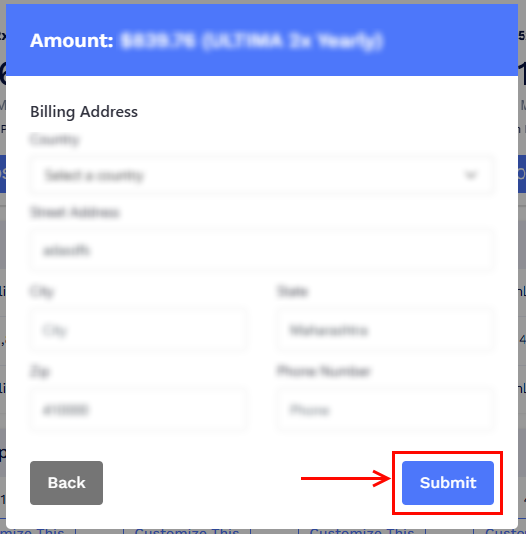
Once the payment is successful, your plan will be upgraded immediately. The payment method used will be saved for future renewals unless auto-renewal is disabled.
Note: You can also upgrade your plan from the Dashboard by going to Settings and selecting My Plan & Billing. Click Upgrade Plan to be redirected to the Pricing page and complete the upgrade.