
How do I delete a QR code?
You can delete a QR code from your dashboard in a few simple steps.
Steps to delete a QR code
- Log in to your QRCodeChimp account and go to Dashboard.
- Locate the QR code you want to delete.
-
Click the three dots icon next to the QR code and select Delete.
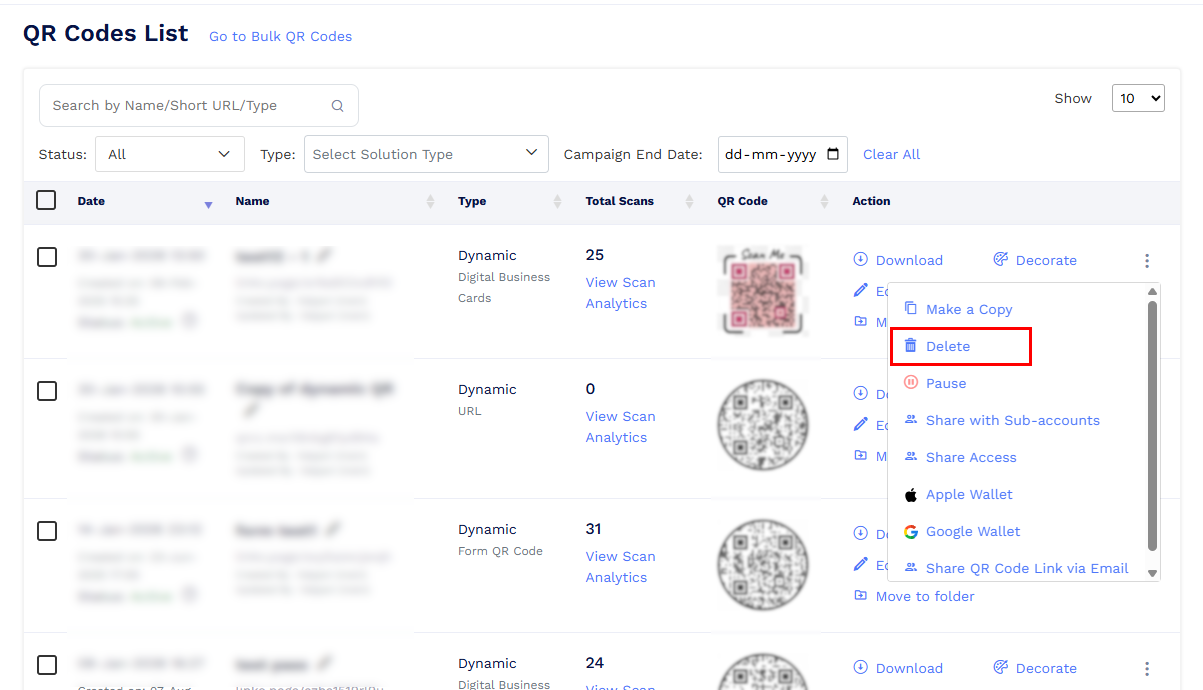
Select 'Delete' to delete your QR code -
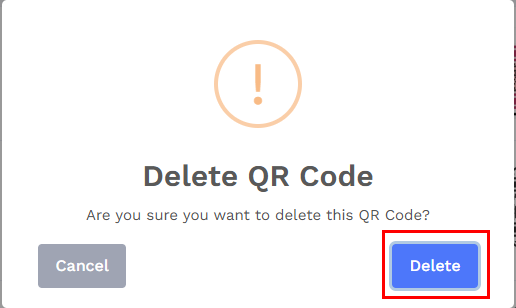
Confirm the deletion when prompted.
Important things to know
-
If you may need the QR code in the future, you can pause the QR code instead of deleting it.
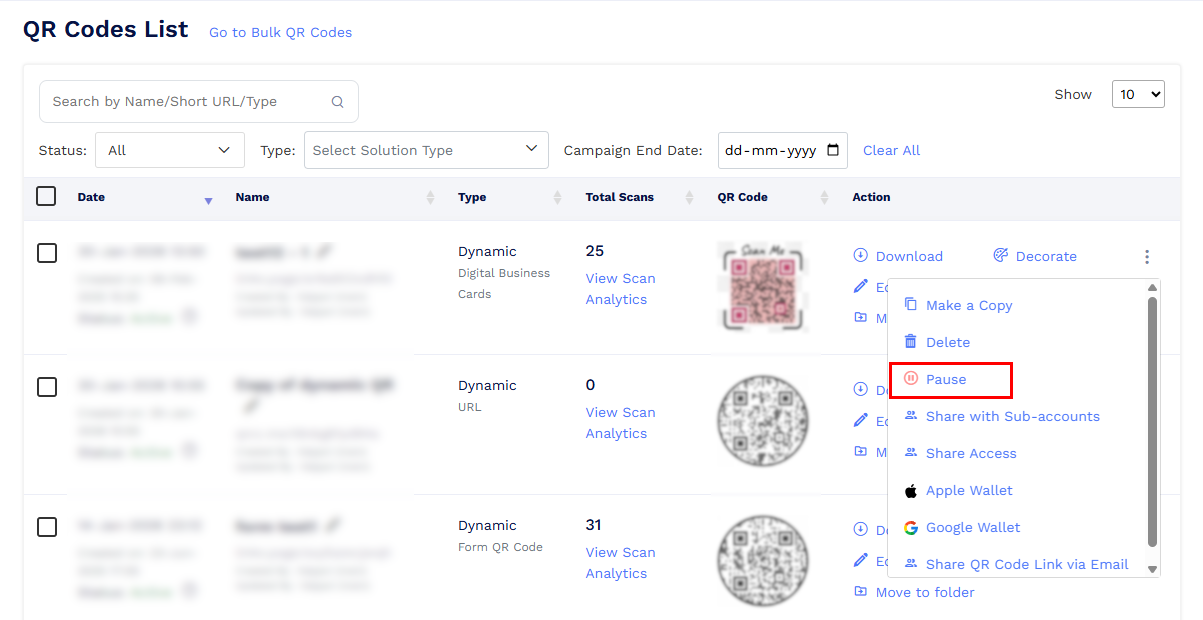
Pause QR code to deactivate it without deleting. - Pausing stops the QR code from working while keeping all data and settings intact.
- When you delete a QR code, it is moved to the Trash.
- Deleted QR codes remain in the Trash for 30 days.
- You can restore a QR code from the Trash at any time within these 30 days.
- After 30 days, the QR code is permanently deleted and cannot be recovered.
If you are unsure whether to pause or delete a QR code, pausing is recommended to avoid permanent data loss.