
How can I stop receiving the daily QR code analytics email?
If you no longer wish to receive the daily QR code analytics email, you can disable it by following the steps below:
- Go to your Dashboard.
-
In the Settings menu, click on Set Notifications.
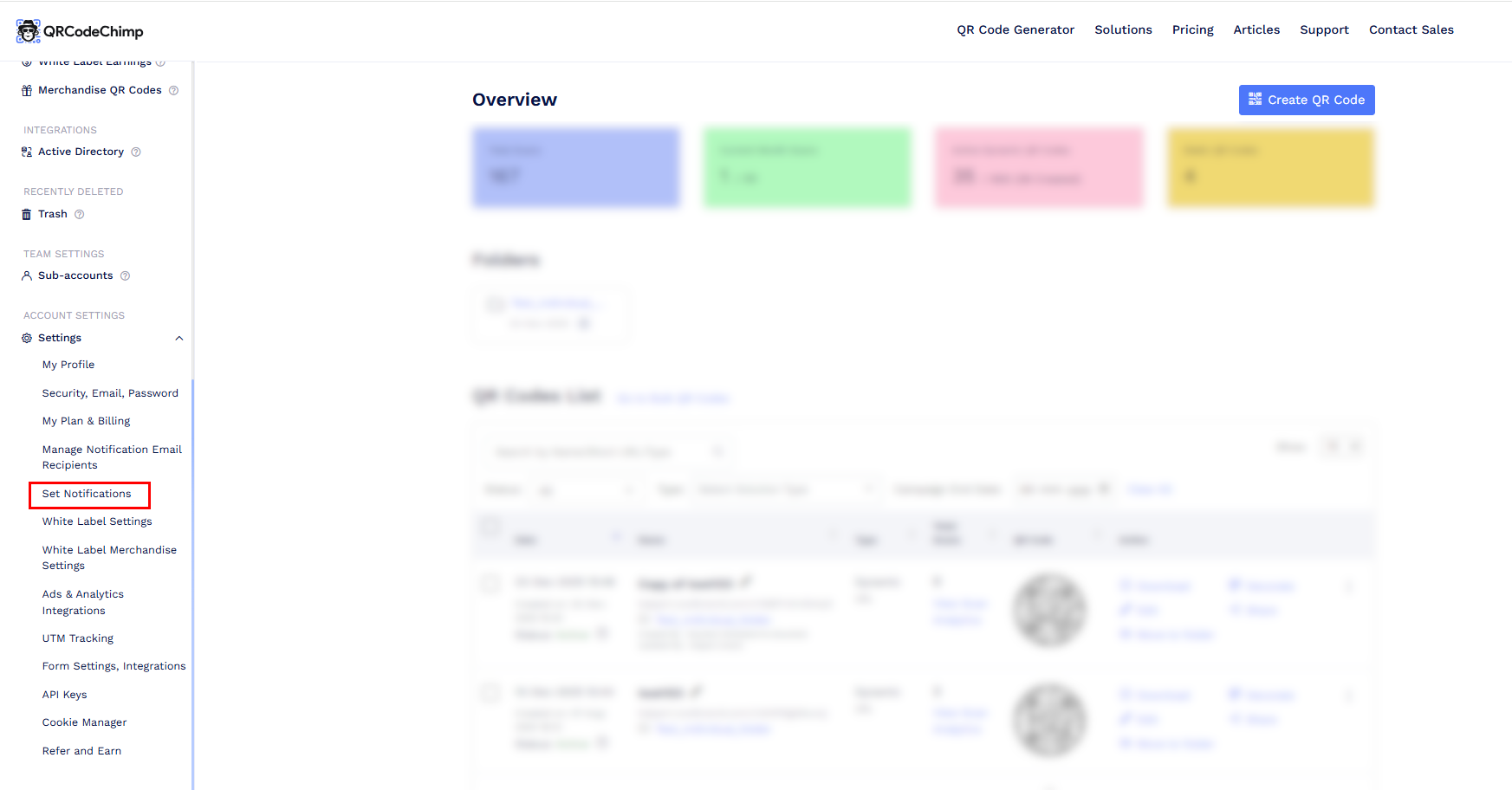
-
Locate the Daily notification option and disable the toggle button.
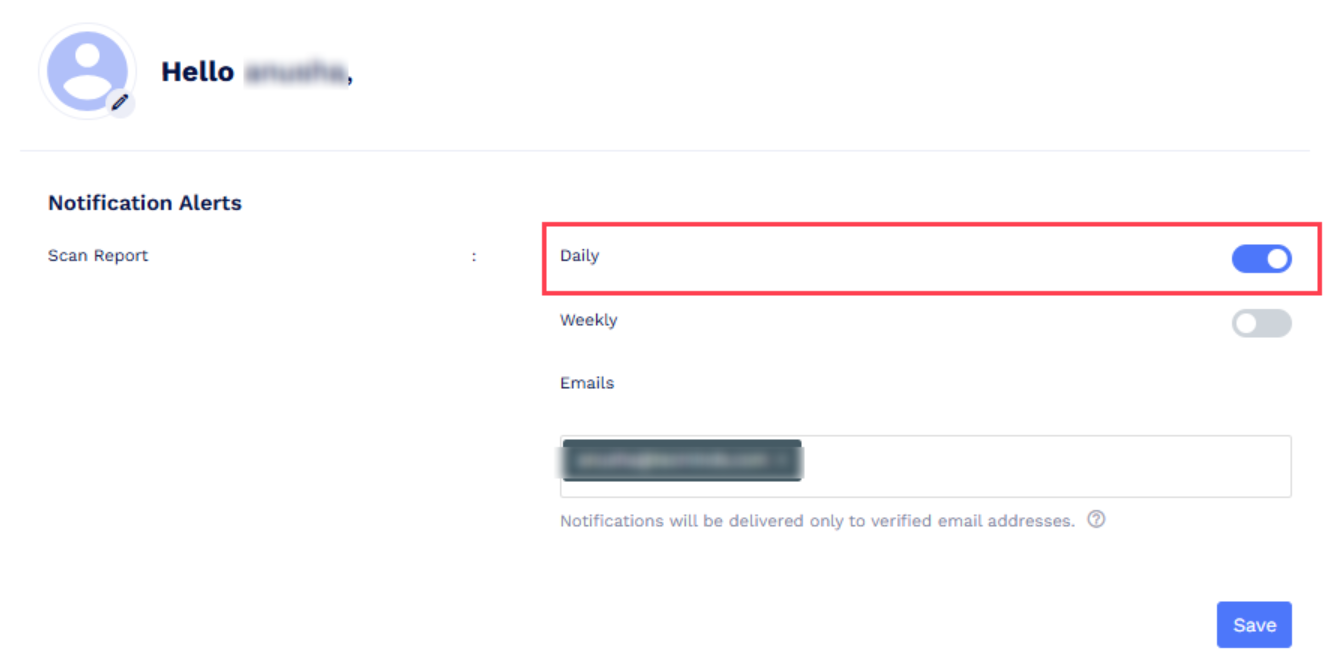
Turn off Daily notification option.
Once the Daily toggle is turned off, you will no longer receive daily QR code analytics emails.